Weather
Publisher Description
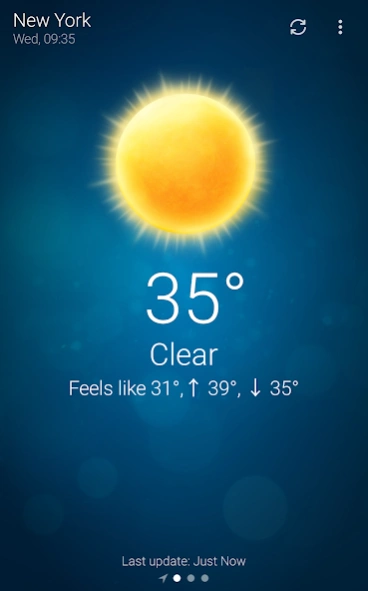


Stylish weather app in your status bar. Know the weather anytime and anywhere.
Weather is exceptionally easy to use app for staying always updated with the weather conditions.
The Weather app is specifically designed to be as simple and intuitive as possible. With just one click you receive the weather condition in your status bar at your current location.
The climate state is gorgeously animated so that you can almost experience it, seeing how the weather comes alive.
FEATURES
- Weather supports geo-positioning, retrieving the latest weather conditions for your current location
- An option to manually add your location
- Measure ambient temperature and UV index on supported devices
- Full support for Android TV
- Available on your favorite smartwatch. Full support for Wear OS.
- Add and track the weather conditions in multiple locations
- Weather is one of the most lightweight weather apps on Google Play!
- Widgets for different locations
- Hourly and weekly forecasts
- Intuitive, seamless user interface
Get in touch with us and follow the latest news regarding our apps:
http://www.facebook.com/macropinch
http://twitter.com/macropinch
About Weather
The company that develops Weather is MacroPinch. The latest version released by its developer is 1.0 .
To install Weather on your Android device, just click the green Continue To App button above to start the installation process. The app is listed on our website since 2025-08-04 and was downloaded 133 times. We have already checked if the download link is safe, however for your own protection we recommend that you scan the downloaded app with your antivirus. Your antivirus may detect the Weather as malware as malware if the download link to com.macropinch.swan is broken.
How to install Weather on your Android device:
- Click on the Continue To App button on our website. This will redirect you to Google Play.
- Once the Weather is shown in the Google Play listing of your Android device, you can start its download and installation. Tap on the Install button located below the search bar and to the right of the app icon.
- A pop-up window with the permissions required by Weather will be shown. Click on Accept to continue the process.
- Weather will be downloaded onto your device, displaying a progress. Once the download completes, the installation will start and you'll get a notification after the installation is finished.
Program Details
System requirements
Download information
Pricing
Version History
version
posted on 2025-08-04
* Re-added big degrees notification text on devices with newer OS version
* Support for Android 16
* Several small fixes and tweaks
version
posted on 2024-02-22
* Fixed notificaition collapse
* Improved notification updates
* Other small fixes
version
posted on 2023-11-13
* Improved locations search
* Greatly optimized battery usage of weather data updates
* Fixed Hebrew localization
* Improved Widget layouts for different screen sizes
* Updated Android TV widget
version
posted on 2023-10-17
* Updated to the location provider in Android 12 and newer. The data should be more accurate and precise while consuming less battery
* Upgraded the notification layout to better fit the new Android notifications style
* Fixed an issue with a widget cutoff on some devices
version 5.2.1
posted on 2021-09-15
Numerous small bug fixes and improvements. Weather is now more stable and reliable.
version 5.2.0
posted on 2021-03-31
* Search location via zip/post code in US and UK
* Fixed several bug and support for latest OS features and performance improvements
version 5.1.7
posted on 2019-04-15
* Weather for smartwatches [Wear OS] is now available on Google Play
- If you have subscribed for one of our subscription plans on mobile it should be active on your smartwatch too.
* Fixed min/max temperatures for some locations
* Added today's forecast on the daily list
